Engineers in a futuristic lab discussing artificial intelligence applications, with a large illuminated graphic of a brain and "AI" prominently displayed.
What is HyperScoper

Proposals in Minutes,
Not Days

HyperScoper™ is an AI-assisted Microsoft solution estimator that generates a structured Power Platform and Copilot implementation  blueprint based on your requirements.

Why Hyperscoper

Activate AI Execution with HyperScoper

AI only delivers value when it is applied with structure and intent. HyperScoper is designed to help organisations move beyond fragmented experimentation and define a clear, practical path for implementing AI using Microsoft Copilot and the Power Platform.

From Exploration to Execution

Rather than exploring disconnected tools or isolated use cases, Hyperscoper translates your business context into a structured blueprint aligned with your operational priorities and Microsoft environment.

Every blueprint is built to reflect how your organisation actually works. It considers your workflows, data, and systems to ensure Copilot and Power Platform capabilities are introduced in a way that is both relevant and executable.

Your Workflows

Your Data Environment

Your Existing Systems

Your Operational Priorities

How We Design Copilot Studio Solutions

Built Around Real Work

Copilots only succeed when they mirror real behaviour. We design conversational flows based on how users ask questions, where they get stuck, and what they need next. Every copilot is shaped around day-to-day scenarios, not abstract prompts.

Governed by Design

Control matters. We design copilots that respect data permissions, security roles, and compliance requirements from day one. Responses are grounded in approved sources, actions are auditable, and governance aligns with your wider Microsoft platform standards.

From Conversation to Action

A Copilot should do more than respond. We design copilots that initiate workflows, raise requests, surface records, and guide users through decisions so conversations result in real progress.

Whether your focus is improving efficiency, automating processes, or supporting better decisions, HyperScoper provides a clear plan to move from AI ambition to implementation.
The Problem

Why Most AI Initiatives Stall

From Exploration to Execution

Many organisations recognise the potential of Microsoft Copilot and AI, but struggle to translate that potential into meaningful outcomes. Early initiatives often begin with strong intent, yet fail to progress beyond experimentation.

Most Microsoft solution projects do not fail in development or deployment. They stall much earlier, during scoping and proposal. What begins as a straightforward automation or system improvement often turns into: weeks of meetings, shifting assumptions, unclear architecture, and cost ranges that lack precision.

Weeks of Meetings

Shifting Assumptions

Unclear Architecture

Cost ranges that lack precision

This is not due to a lack of capability. It is typically the result of missing structure and alignment.

Where the Breakdown Happens

Teams explore Copilot features, test automation tools, and evaluate AI use cases without a clear framework for how these capabilities should fit within existing processes or systems.

Without a defined approach, organisations face recurring challenges:

Copilot is used in isolation rather than integrated into workflows

Power Platform capabilities remain underutilised or disconnected

Business and technical teams lack alignment on priorities

There is no clear roadmap for implementation or scale

introducing hyperscoper

What is HyperScoper

Hyperscoper is a structured system that transforms your business context into a tailored AI blueprint designed for execution using Microsoft Copilot and the Power Platform. It combines contextual analysis, Microsoft-aligned architecture, and expert-reviewed logic to produce a clear plan that connects strategy, technology, and implementation.

What HyperScoper Actually Does

HyperScoper translates your business context into a clear, actionable AI blueprint aligned with Microsoft Copilot and the Power Platform, supporting the following key areas:

Microsoft Solution Mapping

Identifies the right combination of Power Platform tools and Copilot features.

Architecture Structuring

Outlines integrations, workflows, automation layers, and data design.

Commercial Direction

Provides timeline range and budget direction aligned with delivery reality.

From Tools to a Connected System

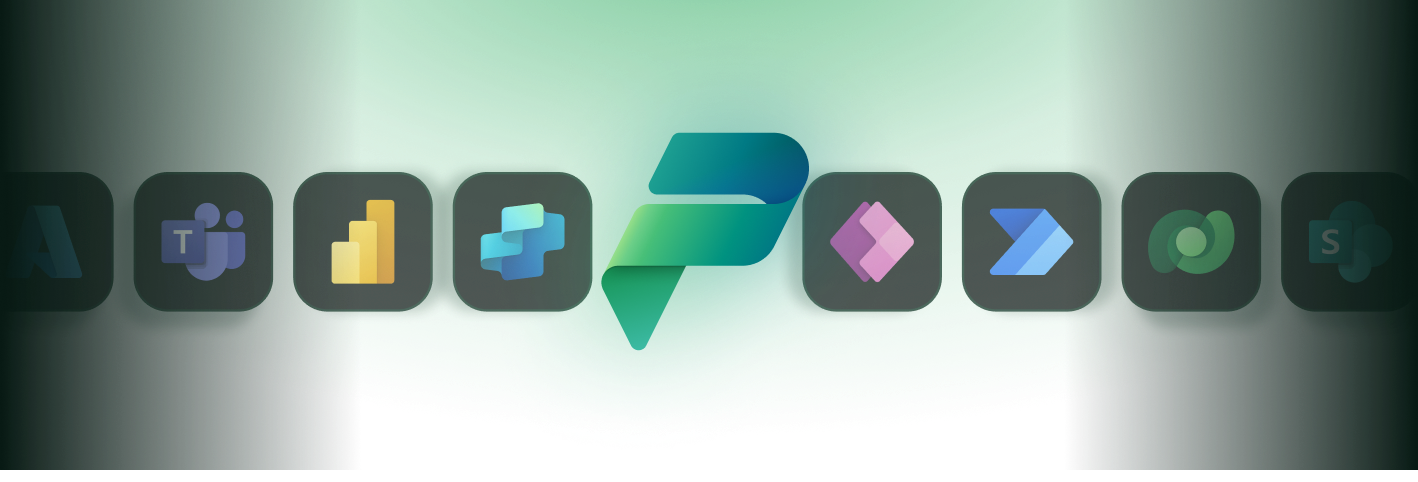
Each blueprint includes a dedicated Recommended Technologies section that clearly defines which Microsoft technologies will be used, the specific role each component plays within the solution, and how they connect to form a cohesive system. This provides a transparent view of how Copilot, Power Apps, Power Automate, Power BI, and Dataverse are structured together to support real business processes and enable end-to-end execution.

With HyperScoper, Organisations Gain:

Value Identification

A structured view of where Copilot and AI create meaningful value

Implementation Clarity

A clear implementation path aligned with business operations

Scalable Architecture

A Microsoft-based architecture designed for integration and scale

Expert Refinement

A practical plan refined through expert review and structured thinking

From output to execution

What Your AI Blueprint Includes

Hyperscoper delivers a comprehensive blueprint designed to guide implementation across Microsoft Copilot and the Power Platform. Each component is structured to ensure clarity, alignment, and practical value.

AI Opportunity Mapping

We identify where Copilot and AI can support your organisation based on real workflows, user needs, and decision points. Opportunities are mapped to specific processes to ensure relevance and impact.

Recommended Microsoft Architecture

Your blueprint includes a Power Platform and Copilot-based architecture, showing how tools such as Power Apps, Power Automate, Dataverse, and Copilot Studio can be combined to support your operations. Each component is selected to align with enterprise standards for security, scalability, and governance.

Use Case Definition

Each opportunity is translated into clearly defined use cases, showing how Copilot interacts with workflows, how automation is triggered, and how data flows across systems. Together, these elements form a complete plan for implementing AI within your Microsoft environment.

Implementation Timeline

A structured timeline defines how capabilities should be introduced, from initial use cases through to broader adoption, ensuring that Copilot & automation are implemented in a controlled and scalable way.

Built on Microsoft Copilot and Power Platform

AI delivers the most value when it operates within the systems your organisation already relies on. Hyperscoper is designed around Microsoft Copilot and the Power Platform to ensure seamless integration with your existing environment.

By building on this ecosystem, organisations benefit from:

Copilot Studio operating directly within tools such as Teams, Outlook, and SharePoint

Power Apps Dataverse providing a unified and governed data foundation

Power Automate enabling workflow execution from AI-driven interactions

Dataverse providing a unified and governed data foundation

Balancing speed with reliability

Structured by AI, Reviewed by Experts

Hyperscoper combines the speed of AI with the discipline of expert review to ensure every blueprint is both structured and reliable.

While AI is used to analyse inputs and generate initial structure, each output is shaped through expert-informed logic to ensure it reflects real-world implementation considerations.

Alignment with Business Realities

Recommendations are coherent and aligned with business realities

Practical Application of Microsoft Technologies

Microsoft technologies are applied in a practical and appropriate way

Practical AI Adoption

Outputs go beyond generic suggestions and reflect structured thinking

How HyperScoper Works

While AI is used to analyse inputs and generate initial structure, each output is shaped through expert-informed logic to ensure it reflects real-world implementation considerations.

Provide Your Business Context

You share key information about your organisation, including workflows, priorities, and current Microsoft environment.

AI Analysis and Structuring

Hyperscoper analyses your input and maps opportunities across Copilot and the Power Platform, structuring them into a coherent framework.

Expert Review and Refinement

The generated blueprint is reviewed and refined through expert-informed logic, ensuring it aligns with practical implementation and enterprise standards.

Blueprint Delivery

You receive a tailored AI blueprint outlining architecture, use cases, and a clear implementation path.

We combine strategy consulting with expert build execution to turn your Power Apps vision into scalable, enterprise-ready solutions.

With continuous guidance and value-focused partnership, we ensure your apps are reliable, secure and ready to grow with your business.

The Solution

From Proposal Uncertainty to Implementation Clarity

Traditional builds are slow, code-heavy and costly to maintain. Power Apps provides reusable components, native Microsoft 365 integration and central governance, so you reduce build risk, integrate faster and scale securely.

Manual Proposals

3-6 week proposal cycles

Multiple exploratory calls

Unclear Microsoft architecture

Broad cost estimates

Delayed executive approval

Hyperscoper™

Structured Microsoft blueprint in 60 minutes

Defined Power Platform stack

Clear integration mapping

Timeline and cost direction

Faster internal alignment

FAQ

Frequently Asked Questions

Is this just a generic AI template?

No. Each blueprint is structured around your specific input and reviewed by Microsoft certified solution architects before delivery. The review process ensures the proposed architecture, integrations, and cost direction are technically feasible and commercially realistic.

Will a real expert review my submission?

Yes. Every Hyperscoper™ output is validated by experienced Microsoft solution architects prior to being sent to you. This ensures assumptions are sound, integration complexity is considered, and the recommendation reflects real-world delivery experience.

What happens after I receive the blueprint?

Once your blueprint is delivered, a meeting will be arranged with one of our Microsoft solution experts to walk through the proposal, clarify assumptions, and answer any questions. The goal is to ensure you fully understand the architecture, timeline, and cost direction before moving forward.

Is my information confidential?

All submissions are handled securely and are never shared externally. Your information is used solely to generate and refine your solution blueprint.

Get Started with Microsoft Copilot Consulting Services

Microsoft Copilot delivers the most value when it is applied with clear intent and strong governance. At Aureus Intelligence AI, our Copilot consulting services help you design, configure, and embed Copilot across Microsoft 365 and Copilot Studio so it aligns with how your teams work, fits your data and security model, and supports measurable business outcomes from day one.

Not ready to book a meeting?

We’re here to help and answer your questions. Submit an enquiry and our team will get back to you. You can also reach us by email or phone if you’d prefer to talk through the details first.

Ready to move quickly?

Book a 30-minute discovery call to review Copilot readiness, priority use cases, data access, and governance considerations, and agree on clear next steps with one of our specialists.

By contacting us, you agree that Aureus Intelligence AI may process your details to respond to your enquiry in line with our privacy policy.

© Aureus Intelligence AI. All rights reserved. We are committed to corporate responsibility, including strong data protection, ethical employment practices and environmental stewardship.